2.28.2008

Work in progress on the revised Natasha...

So... I am taking a little break from RL, and as I force myself to stay out of sl, I decided to give you some news about recent happenings.
First of all, some might have noticed the old Natasha is not for sale anywhere anymore.
I am going through a revision process for it, cause it had many major flaws, which I will also tell you about, when I have more time and some explanatory pictures, and I felt a bit bad selling it as the only Natasha around.
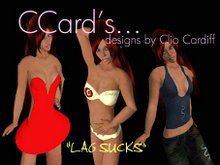
Anyways, the one you see is a snapshot with some random colours... the green is still to be defined. Between the 2 I have there, I would say the one on the left is the best one (don't mind the gloves, they are from the azul version, which will be gorgeous, I love it). But the one on the left I was also told "it's a bit Christmasy", so I don't know what I'll end up doing.... maybe a lighter and rich version. I am still in pain for this lol. I am a picky colour-picker...;-P

So, the Natasha will have the same cut of the old gown for the top (just slighlty corrected something) but will not have the front split on the skirt. It will be in 2 versions, one with a silvery and thin prim skirt, another all same colour of the top. Both the skirts will be kind of long in the back.
I am sorry for taking the split off the design, but as I will be explaining to you on some future post, front splits are something nearly 'unrealisable' on SL. The old Natasha was a try I made back then, and unfortunately it was proven to be a 'not too good' dress :-(
This means the old Natasha will be back out for sale when the new one is released, but it will be priced half, like I did for the Magnete and the Evelyn.
I will also add a pair of solid stockings (which I will place out for free for all those who want to upgrade their dress), those seem to help a bit with the problems a front split creates.

I guess the new gowns will be released when my store is expanded. This should happen maybe during next weekend. I just had very little time to work on 'building' lately, so I had to delay the expansion.
I will post here any news, of course.

Hugs to you all! If you have suggestions on the Natahsa, or ideas for new designs, feel free to leave comments:)

Clio

2.24.2008

Navigli City Outfit & New Land!!!

Hello:)
Been so long since my last post, but the truth is I got so RL busy that I couldn't make anything new, and with no new outfits it's hard to find something to write about (and anyways, being busy also implies 'not having time to blog' :)).
Here I am now, with two news to share with you:
first of all, I finally released something new.
It's the third outfit from the Milano City Outfits line. I went with short and cute this time, so it's a long sleeves tiny dress.
I also added some funky-colourful stockings, and you can really see I was in a strong need for some spice, cause the colours this time are even crazier than ever (if possible...).
Here are the posters for the new release:

Then, another great news is that I finally got more land!
I bought a parcel that is double the size of what I already owned, and it's right next to my old one, so now I will have to rebuild the entire store to make it spread over the 2 pieces:)
My walls were seriously suffering from overload lol, so it's awesome that I can finally make something new, and hopefully better (this means I will take some time to build it in a nice way, and will see if I can come up with something a bit more pleasing at the sight than my actual store:)

That's all folks!

Hope to have some other news soon. Bye bye.

Clio

1.30.2008

Valentine's Day Lingerie!

Last time I forgot to post about a lingerie set I released for Valentine's day!
It's a bra and panties set, plus a sheer little 'nightdress' with flexi prim babydoll attachment.
I used for it the same textures I had drawn to revise the Evelyn Gown, so I called it 'Evelyn Lingerie', and I think I might as well have out some more lingerie of the same line.
It fits perfectly under the top of the Evelyn gown, and the little straps of the bra, worn under the strap-less top of the gown, make it look like a third top option.
I made it in 2 colours just cause I love colour options, and I thought it might help pleasing more of you:)
These sets will be available until Valentine's Day, then they'll be off from the walls.
Also, there are still copies of the Rosalina lingerie to be sold... so whoever wants to get lingerie for a special girl, can also go with that, and be sure to get something unique, as only 50 of them will be around sl at the end.
Well, that's it! Take care!
Clio

1.29.2008

Karol out and my first show!

Hellooo!
It's been a long time since my last post, and that's because lately I have been very busy with 2 things: the preparation for a fashion show MODA modeling school organised for me, and the launch of the new Karol line!
The show took place yesterday, and it went great! I was so excited to see the models wearing my creations!!! I couldn't believe I had made all those things (lol, yes, I'm pathetic).
They recorded the show and it is viewable any time from SLCN.tv.
I also placed a prim with a link to it in my main store, just in case:)
(thank you MODA!).
Also one of the girls from MODA interviewed me one day, and she posted the result on MODA's website.

And, the latest outfits displayed on the catwalk were from my latest line: the Karol.
It's another design with clearly some 'retro' in mind.
I made 2 different evening gowns, a cocktail dress, and a casual outfit out ot the same idea I had.
Here are the posters for the 10 colours available, in the complete packs (individual packs are also available at my main store:))


Hope you LOVE them:)

Clio.

1.20.2008

How to make holes (lol)

Hello everyone:)
I was asked, a few days back, for some help with alpha. A friend of mine wants to try it with fashion, and she was wondering how one can make holes on the cloth.
So I wrote down some quick instructions to easily 'see' what the alpha channel does.
Let me say right away that, being a self-taught 'designer', my ways are certainly rough lol. I won't try to teach anything to anyone, because I am sure there's at least a million ways to make things better then how I do them...
But I can get to alpha channels, and for the little I know, those are the ones you need to use to cut off parts of your texture.
Here is the text from the notecard I made for my friend, she said she found it helpful, and so I am sharing it with whoever might need it:)

"First of all, open up your template, let's say the upper body one.
Second, you need to make sure you have the levels window open (generally on the right, or anywhere... a little window that stands by itself) and that the channels and 'tracks' palettes are on it.
If not, you can go to 'Window' on top of your screen and toggle 'channels'. The channels palette will show.
Now, you will see 4 channels on it: RGB, Red, Green, Blue. If you click on the bottom of the palette where u see 'create new channel', a new channel will be added to the list, this one will be called 'alpha1' (or alpha... whatever).
You MIGHT already have the alpha channel on your palette, because depending on where u got the template from it might already have an alpha channel created and completely white.
Ok, now, how does the alpha work?
It makes the cloth transparent where it is blackened, and totally visible where it is white (that's why: all white on the alpha means u have a normal cloth). Any shade of grey in between also works making the texture the more and more transparent as the grey gets darker.
Note that, when you create a new channel, Photoshop usually makes it completely black, so it means no part of the texture will show (all transparent), so you might want to make it all white (just use the bucket on it) for a first try.
Ok, if you got to having the channel there, you can see what it does with just one experiment.
Go to the channels' palette and select the alpha channel (it will be highlighted), then move over to the sheet.
Make a square selection over the back of the top and then (always keeping highlighted the alpha) fill it with black. If you have the other channels (RGB and so on...) visible, as well, you will see that portion going reddish, if u are only looking at the alpha (other channels with no eye next to them) u will see it as normally going black.
Now make a second selection on the belly of the top and use the paint bucket inside it with a grey (let's say a grey with luminosity : 70).
Ok, last step, make the other channels visible, and move to the layers palette. Make a new layer and just pour black over it (or any other colour, or a pattern, anything).
Now, with either your alpha channel visible or not visible (it's the same), save the texture. It is important that you save it as a .tga (jpegs don't support alpha, and I think neither does .png), and be sure NOT to mark the RLE compression (u don't want it) and make it a 32 bit image.
Now, you have your crappy holy shirt lol.
This will just show u what alpha does: come back on sl, File --> Upload Image, select the one you just made. In the little preview window, you will notice the square you drew has 2 'holes': one is a complete hole on the back, the second one is like a see-through area on the belly. Without the need to upload such a horrible thing (lol), u can see the effect better if you select to preview it as 'Female/Male upper body' (it's always in the little window with the image preview... top right), and notice the 2 alpha regions. "

Of course, this little "alpha tutorial" is just to let you see how to use alpha channels. Once you know, you won't be using them to draw square holes on your belly (oh, well, why not? lol).
The main use of this channel is for sure the creation of something with edges different from the ones you can achieve with the sl editor (for instance: to make a circular decolletè instead of the v-neck line that comes up when editing stuff on sl), but it is great (and I'd say I would strongly reccommend it) to make the borders of you shirt/pants/skirt neater.

Now, well, I hope someone will use this info:) I am usually not the one giving out designing tips (because I am a total ignorant, and make stuff using those very very basic tools I have learned to use) but you might find me in the right mood and willing to share something:) And I might get that next something on my blog, as well... LOL.
Enjoy this first lesson about the very first thing one has to get comfortable with, when starting to make clothes:)

Byeees! /me waves with her hand (lol)
Clio

1.14.2008

Jacqueline finally out!

Ladies and gentlemen, the final version of the Jacqueline gown is out, with 10 new colours.
I changed the flexi from the freebie I have in store, and now it has many more layers to ensure a better cover while moving.
The skirt is also designed so that you can sit without the fear of seeing your flexi sticking out of your behind (lol), cause the 2 prim attachments are set to be worn on your upper legs.
I wanted to keep the gown as simple as possible, because it is mainly a try to see how I could come up with nice shadings for a satin long dress. I only added some little pearly details on the hips, low back, gloves, and on the black tiny band that passes around the waist.
Again, I had some girls helping me with the modeling (old friends of mine, now, after all the shooting they did with me:)), and I have decided I will write the names of the models on the posters from now on... so the ladies can get some credit:)
Here are the colours, afterall.
Have a look at them, and come get your own Jacqueline at my store (SLURL to the right) if you like one:)


Clio :)

1.08.2008

Free (well, almost) Gown out!

Hello everyone!

I am already working on a new design, it's going to be a formal gown.
I plan on making it available in 10 colours, and since I had a spare one, I just decided to have it out as a freebie!

Yep, it's already in my main store, I might place it also at the Shop&Jazz, but haven't done that yet.

As you can see from the poster at the bottom, I am still trying to improve the textures, and it took me some hard work to get to the right shadings for this one! I just need to improve my designing skills some more, before starting to concentrate on my actual style:)
But I try my best to make my items as pleasant as possible, and I hope the effort is worth something:)
Come and grab your own copy of the gown at my main store: you can follow the link on the right part of the page (SLURL).


Take care!

Clio

1.06.2008

Porta Romana City Outfit

Hi Hi ^^
This is the second outfit of the line I'm making, dedicated to the city of Milan.
I'm still in a 'back in time' mood for my Milano City Outfits... first a toga-like dress, now a 70's outfit...
I tried to keep up with some other fashion houses and added sculpted legs and sleeve cuffs, I hope they came out right:)
Again, all handdrawn, trying to get better... who knows when I'll be satisfied of the shadings.
Let me know what you think! Lol, whoever reads this blog!
:) here are the colours.
To buy any of them, use the SLURL on the right of this page:)


Clio


1.03.2008

Evelyn Gown revised and out!

:) Here is the Evelyn Gown retextured:)
I redid all: both the tops, pants, prim skirt's texture.
This time the waistband is not there... cause I wanted one of the 2 tops to be 'plain'... :)
I hope you like the new pattern... I think it adds some character to the gown, strengthens the sensation of 'retro'.
Well, leave feedback, meanwhile, here are the single posters:


Also, watch out for a second item from the Milan City Outfits series:)
*waves*
Clio


12.29.2007

The Magnete has been revised


Here is the new Magnete everyone! I have totally repainted the texture for the top, making it with the same pattern of the skirt and adding details and lights.
I also came out with many more colours, and I hope you will like it as much as the old one.
Also because: the old gown has been sold a lot until very little time ago... then I had taken it off the walls, and now is back on at a lowered price (I haven't set it back for sale everywhere, yet...).
Here is the poster for each colour, please let me know what you think:) (and watch out for the revised version of the Evelyn!)


Clio